
Suppose we have the following five data values: 3.0, 3.1, 3.2, 3.3, 3.4. There is more that one way to get statistics on these data values using the TI-89; Here is one easy way:
|
First, enter the data values into a data variable. To do
this, press |
 |
|
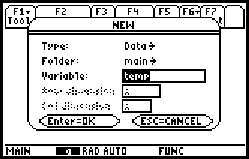
Scroll down to the "Variable:" input box, and type a name for the data variable. I have named my data variable "temp". Note:
In any case, when you have typed the name, press
|
 |
|
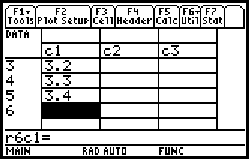
Type the values into the "c1" column. Press |
 |
|
Press |
 |
|
On the first line, |
 |

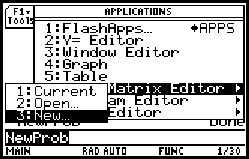
 to start the Data/Matrix Editor. Press the right arrow to
open the submenu, and select "3: New". (Note: If you have
already created a data variable, you can reuse it by
selecting "1: Current" or "2: Open".)
to start the Data/Matrix Editor. Press the right arrow to
open the submenu, and select "3: New". (Note: If you have
already created a data variable, you can reuse it by
selecting "1: Current" or "2: Open".) - just type.
 .
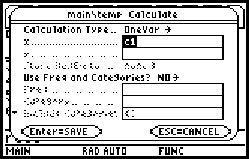
. (F5: Calculate) to open the Calculate dialog. Select
"OneVar" as the Calculation Type, and enter "c1" in the
"x........" input box. Press
(F5: Calculate) to open the Calculate dialog. Select
"OneVar" as the Calculation Type, and enter "c1" in the
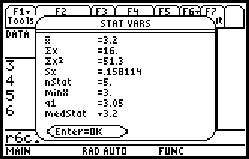
"x........" input box. Press  is the mean of the data values. The fourth line, Sx, is the
standard deviation.
is the mean of the data values. The fourth line, Sx, is the
standard deviation.